ThinkaBit: AI literacy app for kids 7–12
Teach Sparky.
Learn how AI learns.
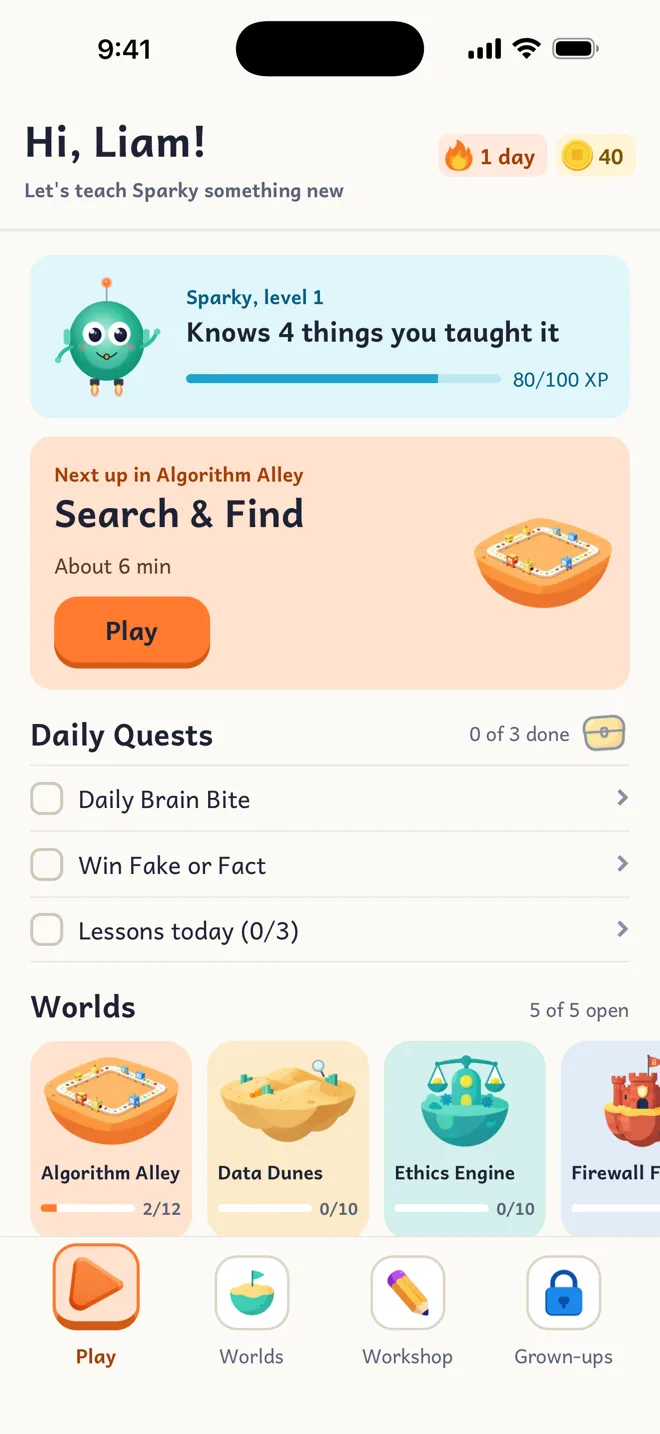
Sparky is a robot pet that learns from your child's answers, just like AI learns from examples. Glitch tries to sneak in fakes. Professor Pixel explains what happened.


Free to start. Family plan: $3.99/month or $24.99/year, with a 7-day free trial for eligible new subscribers.
Teach me something!


-
5 worlds
from algorithms to deepfakes
-
8 missions
detective cases to crack
-
8 languages
the app speaks your language
-
0 ads
and no tracking, ever
New: family quiz
Can your family spot the fake?
Take the 2-minute quiz with your child: 10 rounds of tricky pictures, sneaky messages and made-up headlines.
Take the 2-minute quizHow it works
AI lessons for kids, learned by playing
Kids learn how AI works by teaching it themselves.
-
Step 1: Play right away
Your child meets Sparky and plays three quick questions. No sign-up needed to try it.
-
Step 2: A grown-up saves it
You create the account, give consent and set a PIN. What your child just played is kept.
-
Step 3: Teach Sparky, bit by bit
Short lessons across five worlds. Sparky learns from your child's answers, and Glitch keeps everyone on their toes.
The worlds
One island, five worlds of AI games for kids
Each place on the map teaches a different skill.
- How AI works

Algorithm Alley
Learn how algorithms sort, search, and make decisions — by building your own.
- Data & privacy

Data Dunes
Discover how data is collected, used, and sometimes misused — and how to protect yours.
- Fairness & bias

Ethics Engine
Explore tricky questions about AI fairness, bias, and what machines should never decide.
- Online safety

Firewall Fort
Build your cybersecurity skills — learn passwords, phishing, and how to stay safe online.
- Spot the fake

Deepfake Den
Can you spot what's real? Learn to identify AI-generated images, audio, and video. Glitch hides out here.
For grown-ups
Built for parents, safe for kids
You stay in control. Always.
Learning Dashboard
See exactly what your child is learning and how they're progressing across all 5 worlds.
Grown-ups area behind a PIN
Settings, profiles and purchases sit behind your PIN and a parental gate. Kids can't change them.
Progress Reports
Track skills, streaks, completed lessons, and time spent learning.
Content Controls
Age-appropriate content curated for 7-12 year olds. No surprises, no inappropriate material.
Privacy first
ThinkaBit is built from the ground up to meet COPPA (US) and GDPR (EU).
We only keep what your child needs to learn, and you stay in charge of all of it.
- No ads — ever
- No data selling
- No creepy tracking
- Built to meet COPPA (US) and GDPR (EU)
- A parent's consent
- Delete data anytime
How we protect your child's data → Who makes ThinkaBit, and how the lessons are checked →
The rules we follow: COPPA (US, FTC) · GDPR (EU)
Pricing
Simple, fair pricing
The app is free. The Family plan is monthly or yearly, and new subscribers may get a 7-day free trial.
Free
$0 forever
Get started, no card needed
- 1 child profile
- The first unit of every world
- Daily quests, Fake or Fact, streaks & XP
- 3 Workshop creations to try
- Basic progress view for grown-ups
Family
$3.99 /month
Everything, for the whole family
7 days free, then $3.99/month
- Up to 5 child profiles
- All 5 worlds and every lesson
- Daily Workshop creations
- Full progress reports for every child
- Kid-safe & ad-free — no tracking
Family Annual
$14.99 /first year
$24.99 · save 40%
Then $24.99/year
Offer ends 3 January 2027
- Everything in Family
- Only $1.25/month
Free
$0 forever
Get started, no card needed
- 1 child profile
- The first unit of every world
- Daily quests, Fake or Fact, streaks & XP
- 3 Workshop creations to try
- Basic progress view for grown-ups
Family
$3.99 /month
Everything, for the whole family
7 days free, then $3.99/month
- Up to 5 child profiles
- All 5 worlds and every lesson
- Daily Workshop creations
- Full progress reports for every child
- Kid-safe & ad-free — no tracking
Family Annual
$24.99 /year
Best value — save 48%
7 days free, then $24.99/year
- Everything in Family
- Just $2.08/month, billed yearly
- Save $22.89 vs monthly
Prices are in US dollars; your store shows the price in your currency. New subscribers may get 7 days free; the App Store or Google Play shows whether you're eligible before you confirm. Plans renew automatically and are managed through the App Store / Google Play — cancel anytime. No ads, ever.
The Crew
Meet the crew
One pet to teach, one trickster to catch, one coach to explain.
Sparky
The pet you teach
A little robot that learns from your child's answers. Teach Sparky well and Sparky gets it right. That's how AI learns too: from the examples it's given.
- Curious
- Learns fast
- A bit clumsy
Glitch
The trickster
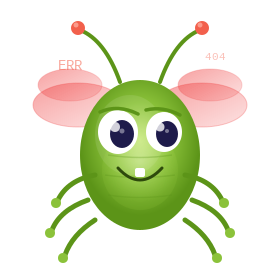
A cheeky bug who posts fakes and slips bad examples into Sparky's training. Not evil, just mischievous. Spotting Glitch's tricks is how kids learn to spot fakes online.
- Cheeky
- Sneaky
- Full of tricks
Professor Pixel
The coach
An old computer with glasses and a mortarboard. After each answer, Pixel explains what just happened, in a line or two.
- Wise
- Patient
- Keeps it short
Pick your Sparky
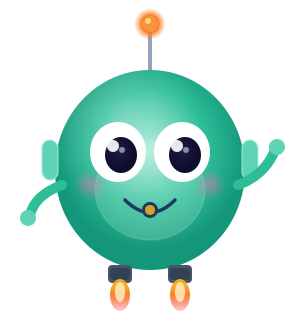
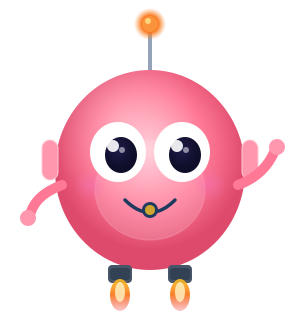
Five colours to choose from, free from the start.
- Cerulean
-
 Mint
-
 Sunflower
-
 Bubblegum
-
 Lilac
What age is ThinkaBit for?
ThinkaBit is designed for children aged 7–12. The lessons, characters and reading level are built for that range. Children can try three questions straight away; to keep playing, a parent or guardian creates the account and gives consent.
What will my child learn?
The basics of AI literacy: how algorithms make decisions, what data apps collect, why AI can be biased or wrong, how to stay safe online, and how to spot deepfakes and AI-generated images.
Is ThinkaBit safe for kids?
Yes. There are no ads, no tracking and no data selling. ThinkaBit is built to meet COPPA (US) and GDPR (EU), collects only what it needs to save progress, and keeps the Grown-ups area behind a PIN.
Does my child chat with an AI in the app?
No. ThinkaBit teaches children about AI — it does not put them in front of a chatbot. Lessons and activities run inside the app and are guided by its characters.
How much does ThinkaBit cost?
You can start for free with one child profile and the first unit of every world. The Family plan adds every unit and mission, full progress reports and daily Workshop creations for up to 5 children: $3.99/month or $24.99/year. New subscribers may get a 7-day free trial.
Which languages is it in?
The app and its lessons are in English, Dutch, German, French, Spanish, Romanian, Italian and Polish: the first lessons of every world are translated, the rest show in English until they are. It follows the device language, or a grown-up can pick one in the Grown-ups area.
Which devices does it work on?
ThinkaBit works on iPhone, iPad and Android phones and tablets. Download it from the App Store or Google Play. You can install it on as many devices as you like, on the free plan too: for example one for your child and one for you. Sign in with the same account on each.